onestepwin in your Account — in Start.
onestepwin Number Archive – Historical Results & Patterns
Our Number Archive on onestepwin stores historical outcomes from live-dealer games: Dragon Tiger card pairings, Sic Bo dice rolls, and roulette wheel spins. Rather than a predictive tool, the archive lets you review past results by date, time, and game type so you understand how rounds have unfolded over your sessions or across extended periods.
Open an account
Number Archive
- Game
- Category
- Live Table / Card
- RTP
- medium
The archive is organized by date range and game category. You can filter results by table name, studio location, or specific time windows. Each entry logs the outcome (card value, dice sum, wheel number), the round timestamp, and your own account activity during that round if applicable. Access is available to all verified onestepwin users, and the data refreshes continuously as new rounds complete.
What onestepwin Number Archive Contains
The Number Archive is a searchable database of live-game outcomes. Unlike a prediction system, it is a transparency and record-keeping tool. Every result that appears on a live table—whether from a Dragon Tiger round, a Sic Bo session, or a roulette spin—enters the archive moments after the round closes. You access it from your onestepwin account dashboard under "History" or "Number Archive," depending on your app version.

The archive displays several data columns for each round: game type (Dragon Tiger, Sic Bo, roulette, etc.), table name, outcome (the specific result), timestamp, and your personal bet history (if you participated). The system preserves data for several years, so you can look back at results from weeks, months, or even years ago to verify your own account history or simply review trends.
Key takeaways
- Number Archive stores live-game outcomes: Dragon Tiger card results, Sic Bo dice rolls, roulette numbers.
- Data is searchable by date range, game type, table name, and time window.
- Personal bet history links to each result if you placed a wager in that round.
- The archive persists for several years; you can audit your account activity anytime.
- Access is free to all verified onestepwin users; no subscription required.
The archive serves as a personal record. It does not offer predictions, odds recommendations, or pattern analysis. It simply reflects what happened on each table, when it happened, and how you participated (if at all). Our onestepwin philosophy is transparency: players should be able to verify every round and reconstruct their own decision-making.
How to Use the Number Archive on onestepwin
Accessing the archive from your account
Log in to your onestepwin account and navigate to your account menu. Select "History," "My Bets," or "Number Archive" depending on your platform version. The interface loads a default view (usually the last 24 or 48 hours of results). From there, you can filter or search using several criteria.
Search and filter options
The Number Archive on onestepwin includes several filter tools:
- Date range: Select start and end dates. The archive searches across weeks, months, or years; no artificial limit exists.
- Game type: Choose Dragon Tiger, Sic Bo, roulette, or "All games" to see mixed results.
- Table name: Filter by specific studio or table (e.g., "Dragon Tiger Table 3" or "Roulette European").
- Time window: Narrow results to a specific hour or shift (morning, afternoon, evening).
- Your bets: Toggle to show only rounds where you participated, hiding other players' results.
Once you apply filters, the archive refreshes to show matching results. Each row displays: round number, game outcome, exact timestamp (down to the second), and your personal stake (if applicable). Click any row to expand it and see additional details like other players' activity (anonymised) or live chat messages from that round.

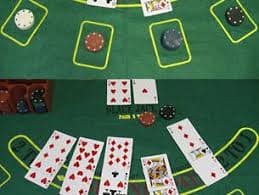

Personal bet tracking
When you filter to "Your bets" in the Number Archive, onestepwin displays only rounds where your account participated. For each round, you see your stake, the outcome, and your result (win, loss, or push). This feature is useful for reconstructing your session history or verifying account statements for audit purposes.
Bet amounts are recorded to the exact denomination (e.g., 50,000 or our welcome offer equivalent). Payouts reflect the table's odds at the time of the round. If you joined a live table in Surabaya or Medan and placed bets for an hour, you can later review every single round, your wager on each, and the cumulative outcome. This transparency helps you understand your own patterns and decision points over time.
Audit trail for account reconciliation
Your Number Archive entries align with your account ledger. If your balance changes during a session, the archive shows the exact rounds and amounts that caused the change. Download or export your archive data (if available on your platform version) to reconcile with your bank or payment provider (DANA, e-wallet, mobile banking, or bank statements).
Exporting and downloading archive data
Many onestepwin clients allow archive data export in CSV or PDF format. Select your desired date range and game filters, then click "Export" or "Download." The file contains all matching results with your personal annotations. This is particularly useful for tax reporting, personal record-keeping, or if you need to verify your account history with a payment provider during a dispute resolution process.
The export process is automated and completes within seconds. Files are sent to your registered email address. Because the export contains bet history and personal account identifiers, treat downloaded files as sensitive documents.
Tips and Best Practices for Using the Number Archive
-
1
Review your personal session historySelf-audit
After each gaming session, spend a few minutes browsing the Number Archive filtered to "Your bets" and your session time window. This helps you recall your decisions, stakes, and outcomes while they are fresh.
-
2
Do not use the archive to predict future outcomesCommon misconception
The Number Archive is historical data only. Past results on a Dragon Tiger or roulette table do not predict the next round. Each round is independent; the archive simply reflects what already happened.
-
3
Use archive data for account verificationDispute resolution
If you encounter a transaction issue—a withdrawal that does not post to your DANA or e-wallet account, or a discrepancy in your balance—export your Number Archive data to cross-reference with your account ledger and share with onestepwin support.
-
4
Archive data persists; you can look back yearsLong-term record
Unlike live tables that reset daily, the Number Archive preserves all historical outcomes. If you played on onestepwin during Idul Fitri last year and want to review those sessions, the data remains searchable and available.
Privacy and data security in the archive
Your Number Archive is private to your onestepwin account. Other players cannot see your bets, your account activity, or your personal results. When the archive displays other players' actions (e.g., "Player B bet 100,000 and won"), names and account details are anonymised; you see only a generic player label.
Your exported archive files contain your personal bet history and account identifiers. Store downloaded CSV or PDF files securely, especially if they contain sensitive financial data. If you suspect unauthorised access to your Number Archive or account, contact onestepwin support immediately via the in-app chat or email. Our team can review access logs and secure your account.
Support and troubleshooting
If the Number Archive does not load or results appear incomplete, refresh your browser or restart the onestepwin app. If the issue persists, contact our support team. We operate in English and Indonesian across time zones and are available during extended hours, especially during major events like Liga 1 matches or Piala Indonesia tournaments.
For questions about specific results—why a Dragon Tiger round ended the way it did, or whether a Sic Bo outcome was correct—the Number Archive displays enough detail for you to understand the mechanics. If you remain uncertain, our support team can walk you through the rules and explain any outcome.
Across onestepwin regions and platforms
Whether you play from Jakarta, Bandung, Medan, or Semarang, your Number Archive centralises all your results across all devices and table studios. If you join a Dragon Tiger table on your phone in the morning and a roulette table on your desktop in the evening, both sessions appear in the same searchable archive. Deposit and withdrawal history via mobile banking, local payment, online payment, e-wallet, or bank virtual accounts also log separately but link to your account, so you have a complete financial and gaming timeline.
Payment Methods on onestepwinDANAOVO, GoPay, and Bank Accounts
DANA deposit and withdrawal
DANA deposit and withdrawal
DANA is a leading Indonesian e-wallet integrated with most banks and retailers. On onestepwin, depositing via DANA follows a seamless flow: log in to your account, select DANA at the deposit screen, and confirm the amount in the DANA app. Our system credits your onestepwin wallet within moments—typically under a minute. DANA does not charge onestepwin directly for transfers, though your wallet tier may incur standard DANA charges (these are minimal for most users). Withdrawals from onestepwin back to DANA follow the same path in reverse: request a withdrawal from your onestepwin account, confirm your identity (standard KYC on first withdrawal), and funds transfer to your DANA wallet within a processing window usually measured in hours. DANA deposits are fully reversible if you change your mind within a certain window, but onestepwin does not hold refunds longer than your payment provider requires. If a DANA deposit fails (e.g., insufficient balance or temporary network error), our system notifies you immediately, and no charge applies. Many users maintain DANA as their primary onestepwin payment method because it integrates with virtually every Indonesian bank (BCA, Mandiri, BRI, BNI) for quick top-ups. During high-traffic periods (Idul Fitri, Idul Adha, or major Liga 1 events), DANA processing may lag slightly, but core functionality remains available. onestepwin support can troubleshoot any DANA-specific issues, but most DANA balance or account queries should be directed to DANA's own customer service first.
OVO and GoPay usage
OVO and GoPay usage
OVO and GoPay are Indonesia's two dominant mobile wallets, and onestepwin accepts both. OVO deposits work by selecting OVO at checkout, which redirects you to the OVO app or web portal where you confirm the transaction. Your onestepwin account is credited within moments, and the process mirrors GoPay's flow exactly. GoPay deposits follow the same pattern: select GoPay, confirm in the GoPay app, and your onestepwin balance updates instantly. Both wallets link to your onestepwin account via a single identity verification; after your first successful deposit, repeat deposits skip re-verification. Withdrawals back to OVO or GoPay process within standard windows, typically a few hours depending on the wallet network load. One key difference: OVO points and GoPay rewards earned outside onestepwin do not apply to onestepwin transactions; OVO and GoPay balances are separate from their loyalty programs. Many onestepwin users maintain accounts in both OVO and GoPay to diversify their payment options—if one wallet is temporarily unavailable (during app updates, server maintenance, or personal account issues), you can switch to the other. Both OVO and GoPay impose their own daily or monthly withdrawal limits; these are independent of onestepwin's internal limits. If you hit a wallet-level cap, you may need to wait until the next calendar period or contact your wallet provider to raise your limit. onestepwin support can help confirm whether a failed transaction is due to onestepwin or the wallet provider. Most OVO and GoPay disputes (missing balance, incorrect charges, account locks) should be escalated to the wallet provider's customer service, though onestepwin can verify our side of the transaction.
BCA, Mandiri, BRI, BNI virtual account
BCA, Mandiri, BRI, BNI virtual account
onestepwin issues unique virtual account (VA) codes linked to your account, enabling direct bank-to-onestepwin deposits without a mobile wallet. When you select a bank (BCA, Mandiri, BRI, or BNI) at the deposit screen, our system generates a VA number you can use for deposits via ATM, online banking, or mobile banking app. Deposit steps: log into your bank, initiate a transfer to the VA number, enter the onestepwin-specified amount, and confirm. Your bank processes the transfer, and onestepwin receives the credit within that bank's standard processing time—BCA and BNI often confirm within minutes, while Mandiri and BRI may take a few hours during peak times. Each bank VA persists on your account, so you use the same code for all future deposits; you do not need to request a new VA each time. Bank withdrawal transactions flow back to the same bank account you hold; onestepwin does not support cross-bank transfers (you cannot deposit via BCA and withdraw to Mandiri on the same transaction). If you open a second bank account, you can link it as an alternative VA on the same onestepwin account after re-verification. Bank VA fees vary: BCA typically charges minimal amounts, Mandiri may deduct a small transfer fee, and BRI and BNI fees depend on your account tier. All fees are deducted from your withdrawal amount before it posts to your bank account, so you see the net amount received. If a bank VA deposit is delayed (beyond the bank's standard window), contact your bank first to confirm the transfer was sent correctly; if the bank confirms successful transfer but onestepwin has not credited you, escalate to onestepwin support with proof of transfer (bank receipt or reference number).
Fees, limits and verification
Fees, limits and verification
onestepwin does not charge platform fees on deposits or withdrawals—all charges, if any, originate from your payment provider (DANA, OVO, GoPay, or your bank). Transparency is key: at checkout, we disclose any applicable third-party fees before you confirm the transaction. Deposit and withdrawal limits are set per payment method and account history. First-time users typically have lower account preferences (e.g., a few million IDR per transaction) that increase after several successful deposits. There is no fixed maximum withdrawal in a single transaction, but your account balance cannot exceed regulatory thresholds (anti-money-laundering compliance); if you approach the ceiling, onestepwin support advises you to withdraw excess funds to stay compliant. Verification is mandatory for your first deposit and first withdrawal. You provide a government-issued ID (KTP or passport), a selfie holding the ID, and proof of residence (utility bill, recent bank statement, or rental lease). Most verifications complete within a few hours; some take up to 24 hours if documents require manual review. Once verified, you deposit and withdraw freely without resubmitting documents unless you change payment methods or onestepwin's compliance team requests a re-check (rare, triggered only by unusual transaction patterns). If verification is rejected, onestepwin support explains why and guides you to resubmit compliant documents. Age verification is part of KYC; users must be of legal age in their jurisdiction and meet onestepwin's account eligibility criteria. All verification data is encrypted and stored securely per Indonesian data protection standards.
Resolving a stalled transaction
Resolving a stalled transaction
Occasionally, a deposit or withdrawal may not complete within the expected window. If your DANA, OVO, GoPay, or bank deposit does not post within a few hours, follow these steps: (1) verify in your wallet or bank app that money actually left your account; (2) if yes, gather your transaction ID or reference number and contact onestepwin support with those details; (3) our team investigates our transaction logs, confirms receipt, and either manually credits you or advises follow-up with your payment provider. For bank VA deposits, if funds do not appear after a full business day, request a bank transfer receipt from your bank and share it with onestepwin support; we match the receipt to your account and complete the credit. Withdrawal delays (money leaves onestepwin but does not arrive at your wallet or bank) are less common but can occur during peak periods (Imlek, Nyepi, or major tournaments). Provide onestepwin support with your withdrawal reference number, destination account name, and amount; our team traces the funds through our processor and your bank. Most stalled deposits or withdrawals resolve within 24 to 48 hours; complex cases requiring bank investigation may take several business days. onestepwin support operates in English and Indonesian via email and live chat during standard and extended hours. Always retain transaction receipts and reference numbers until both sides confirm completion. If a transaction truly fails, most payment providers and onestepwin reverse the charge automatically; if not, escalate with proof of the failed transaction (screenshot, receipt) to both your payment provider and onestepwin support for manual resolution.
This guide reflects onestepwin's Number Archive features and payment workflows as of the current platform build. Archive functionality and payment methods may be updated; check onestepwin directly for the latest documentation and operational details.